
Estimated reading time: 5 minutes
Photogrammetry quickly generates a mass of images, cohesive data and image management is paramount in optimizing your photogrammetry workflow. Simple subjects require hundreds of pictures and larger more complex projects can easily generate thousands, or tens of thousands, of images. Each individual image will carry a wealth of information about the camera in the EXIF data. EXIF data will often include positional information in the form of latitude, longitude and elevation captured by GPS.
All of this data is valuable. From learning experiences around camera settings to where on the planet the image was shot, data like this is important.
Managing bulk data like this can be done in simple folders. But this data is unstructured, informally ordered and most importantly difficult to search, segregate or manage beyond copy/paste.
So how to manage the mass of data?
Programs for Image Management for Photogrammetry
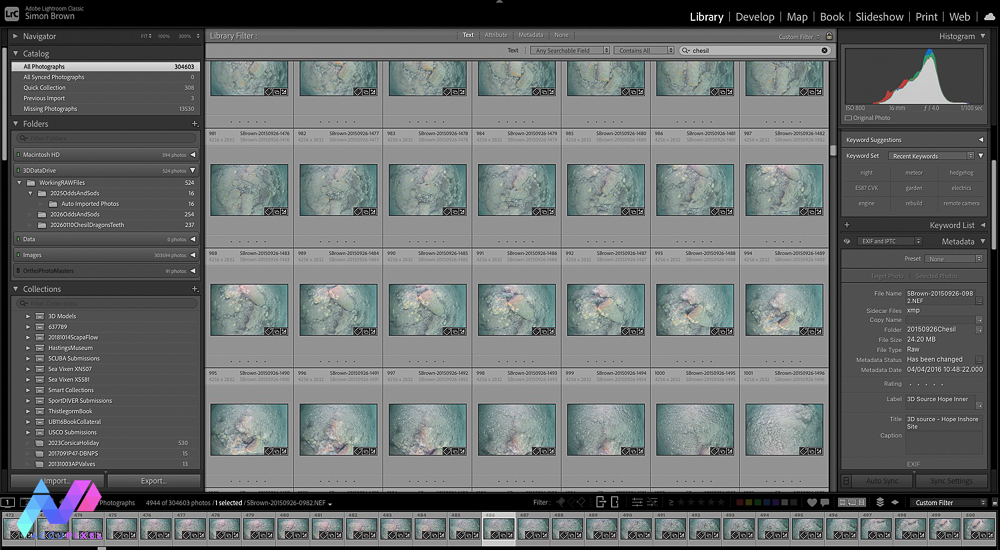
AccuPixel have been a long-term user of Adobe Lightroom, managing a half million images. Image management is part of our photogrammetry workflow from post capture. The first event on any project is to eject the memory card and suck its contents into Lightroom renaming and enriching each image with meta data to enrich and capture what we know about the project.
The system automatically renames each image. Each file then retains a unique identifier. A simple naming rule is applied at import, and the format/structure of the filename is discussed at some length in the first paper discussing how the SS Thistlegorm was recorded.
Any project can benefit from image management but when the scope extends over time Lightroom can add value. The project to map the Chesil Dragons Teeth is a prime example with drone flights months apart and disparate cameras used to gather images.
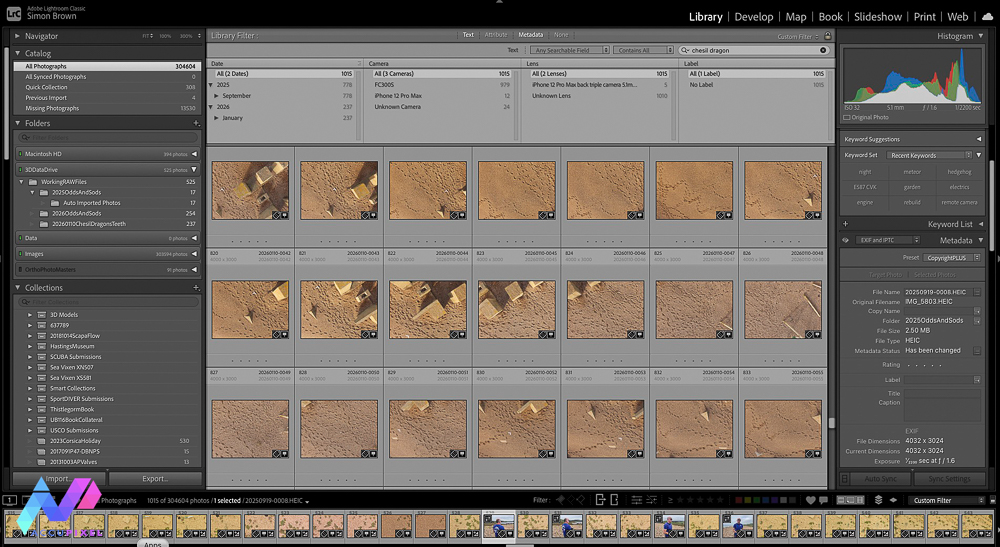
After Importing Images to Adobe Lightroom
You can append keywords during import or afterward. These keywords enrich the project data beyond what the camera captures automatically. Keywords are part of the IPTC schema, an internationally recognised means to add diverse information such as creator, ISO country code, title and caption in a structured format.
Image volume grows faster when working with multiple cameras. When considering Image Management for Photogrammetry, establishing a rule to assign a specific camera/serial number always to the right or left can help maintain segregation and a naming rule including camera location is applied to help organise images at time of import into photogrammetry.
Reasons to Prioritize Photogrammetry Data Management
Why go to these lengths? Why is Image Management for Photogrammetry important? Can you discard images once you process the model?
You can return to specific image sets later if you organize them in a structured folder system.
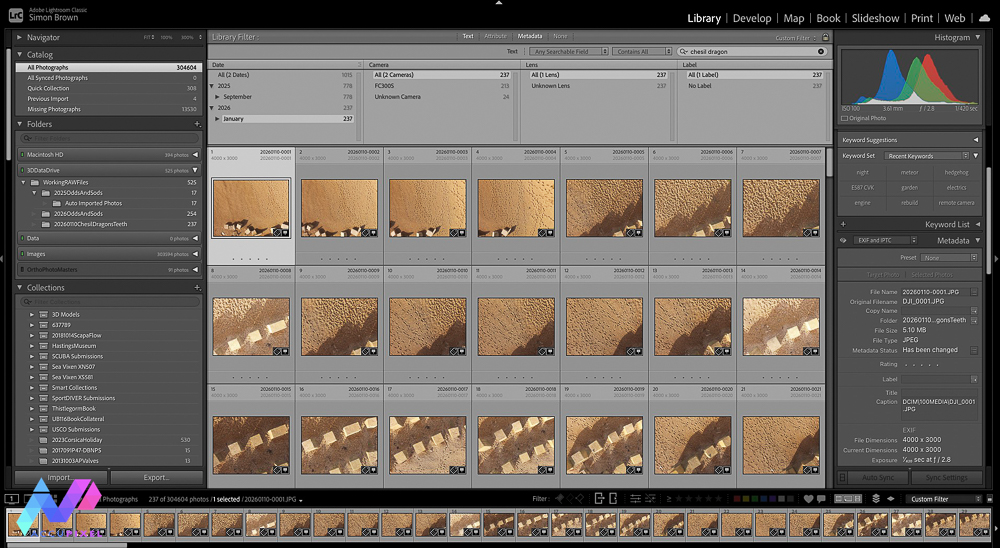
How long does it take to locate the images when you need them? Navigating a hierarchy of folders seeking perhaps a few hundred from hundreds of thousands is a time consuming joyless task. With structure, keywords and meta data finding a small sample of images takes seconds and efficiency is a key advantage. Image Management for Photogrammetry can expedite and streamline your photogrammetric output.
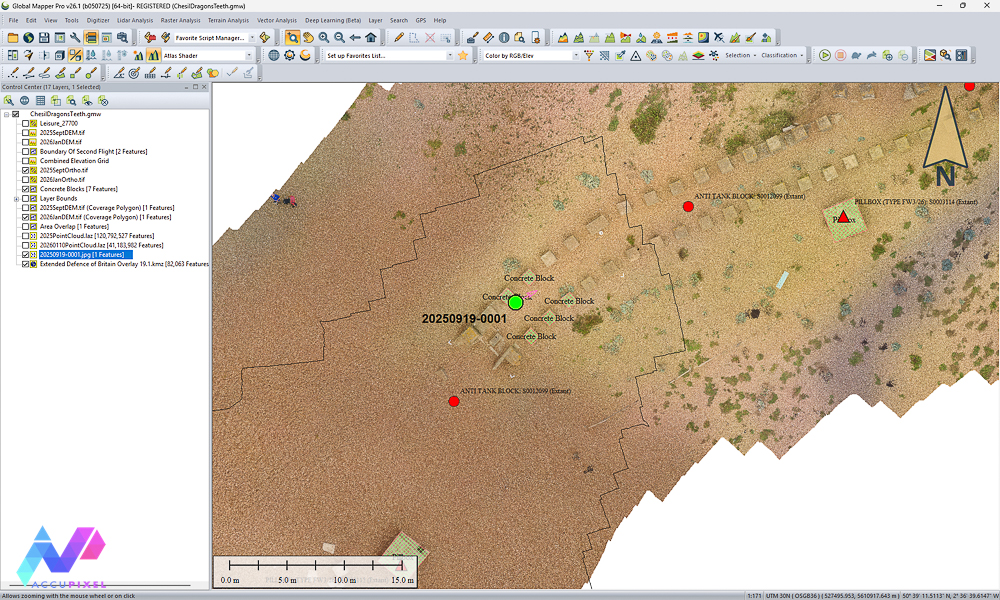
You can load GPS-tagged photos into Global Mapper and geolocate them. For projects like the Chesil Dragon Teeth positional information is automatically gathered by the drone, but smartphones capture this too. Latitude, longitude and orientation data enriches both the individual image and the project.
Limitations for Image Management
However, Image Management for Photogrammetry does still have room for improvement. There is one feature Lightroom cannot manage. Closing the data loop and managing the ortho photo alongside the source images would be ideal. Regrettably, Lightroom has a hard upper limit of 65,000 pixels along any side and a maximum size of 512 megapixels. Orthophotos regularly exceed this limit, and Lightroom cannot manage them effectively. If anyone at Adobe is listening, please consider increasing the maximum size threshold. It is also worth remembering the limits of Lightroom. It works well for a small organisation but will not scale up for a corporate or enterprise wide solution, but thats a separate subject.
Closing Thoughts on the Topic
Finally, Lightroom does not restrict users to one catalogue of images. The Thistlegorm project uses its own catalogue to manage all images from two field visits, totaling 50,000 images. It also stores historic and archived materials, including builder’s plans, along with contributor images such as those from Alex Mustard. The Chesil’s guide book uses the same images.
Data and Image Management for Photogrammetry is a foundational approach which can improve your workflow. Managing and structuring photogrammetry images requires minimal time. Each retrieval of previously captured images or datasets delivers measurable efficiency gains.